 Click main image to view in full screen. Unlock all 9 preview images:
Software Project Tracker | Sprint, QA & Release Dashboard – Excel XLSX
Excel (XLSX) + Zip archive file (ZIP)


BENEFITS OF THIS DOWNLOADABLE EXCEL DOCUMENT
- Coordinate software delivery across project overview, sprint planning, backlog, bugs, risks, release plans, QA tests, deployments and resources in a structured Excel workbook.
- Review eight formula-driven executive KPI indicators and four native charts for backlog composition, bug priorities, QA status and risk exposure across prepared tracking rows.
- Receive the 12-sheet main workbook, a separate four-sheet Sprint Planner Lite with two native charts, and a 12-page English user guide with workflow and editing instructions.
AGILE EXCEL DESCRIPTION
SOFTWARE PROJECT TRACKER – 10-IN-1 AGILE EXCEL TOOLKIT
Sprints | Product Backlog | Bugs | Risks | Quality Assurance | Releases | Deployments
Organize software project information with an editable Microsoft Excel tracker for Agile, Scrum, development, QA and delivery teams.
Bring tasks, sprint commitments, defects, risks, release milestones, test cases and deployment reviews together in a structured spreadsheet workflow.
📊 MAIN WORKBOOK – 12 WORKSHEETS
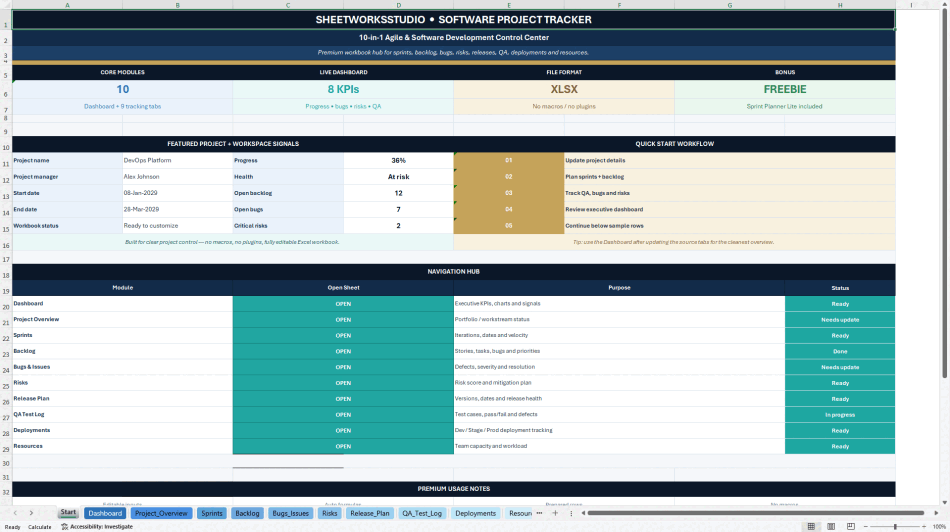
START – Navigation hub linking to the main workbook modules.
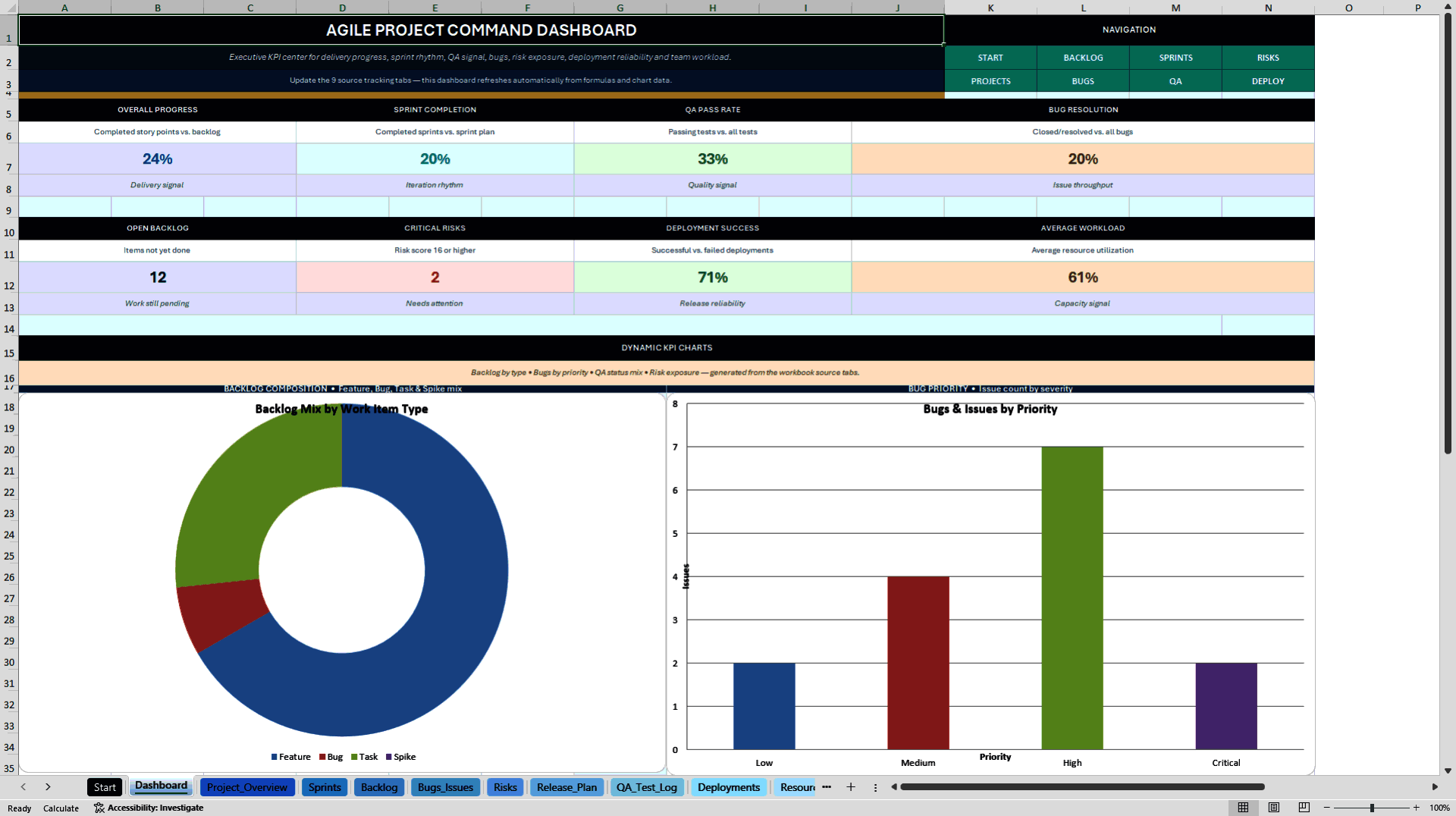
DASHBOARD – Eight executive KPI indicators plus four native Excel charts summarizing backlog composition, bug priority, QA test status and risk exposure.
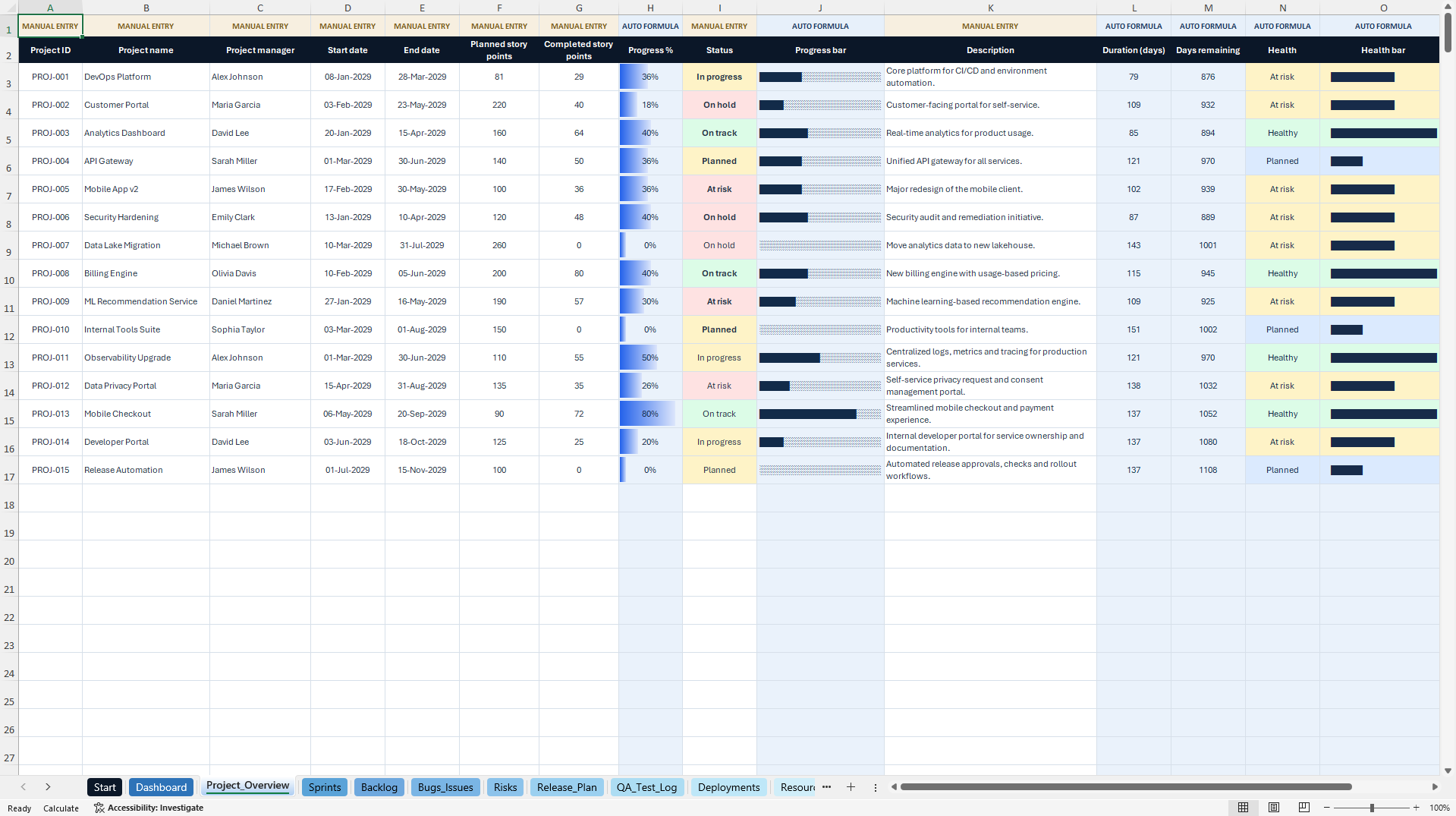
PROJECT OVERVIEW – Project goals, ownership, planned and completed story points, progress and delivery health.
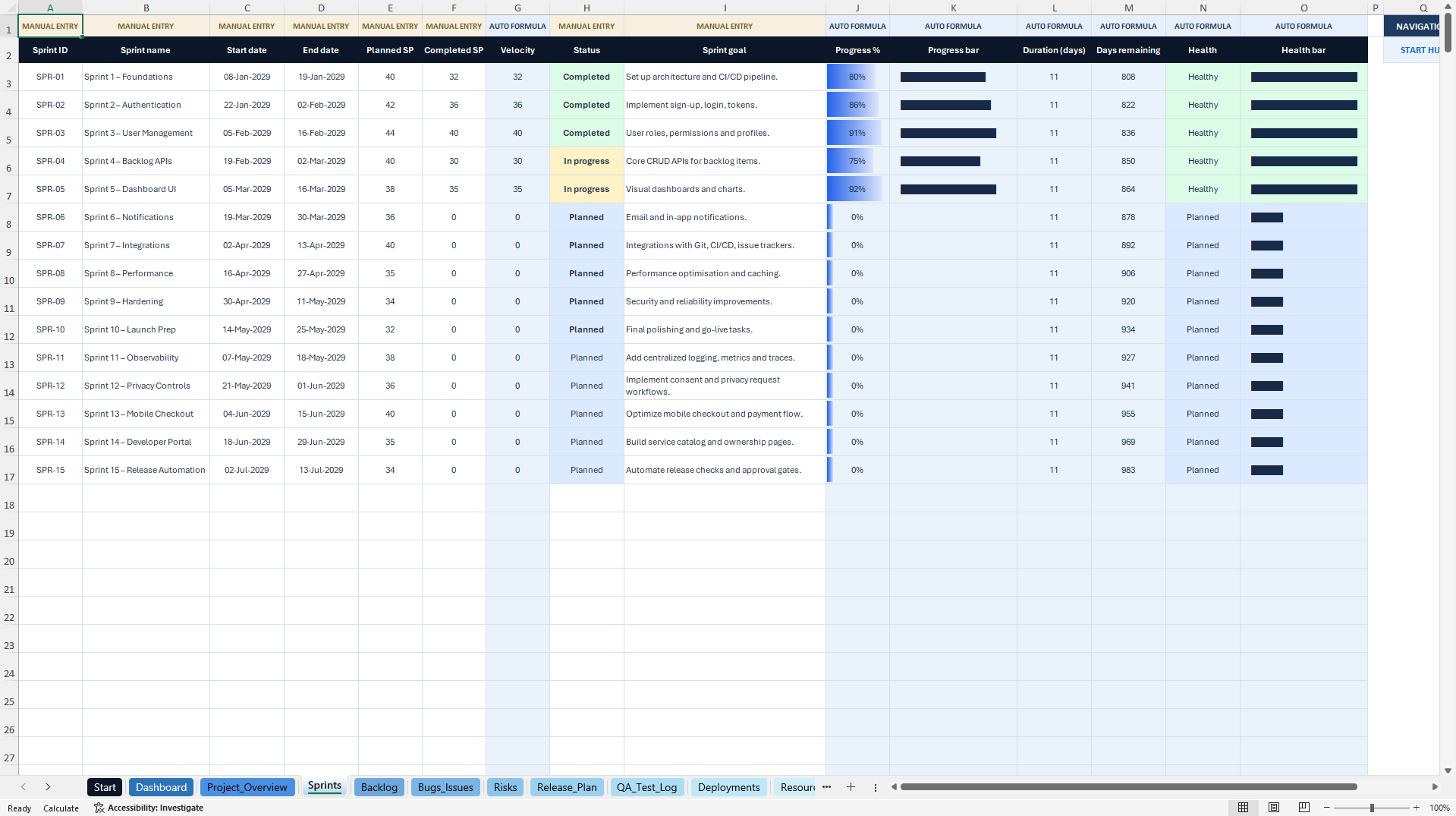
SPRINTS – Sprint dates, planned/completed story points, velocity, status and progress.
BACKLOG – Features, bugs, tasks, spikes, priorities, story points, assignees, sprint allocation and progress.
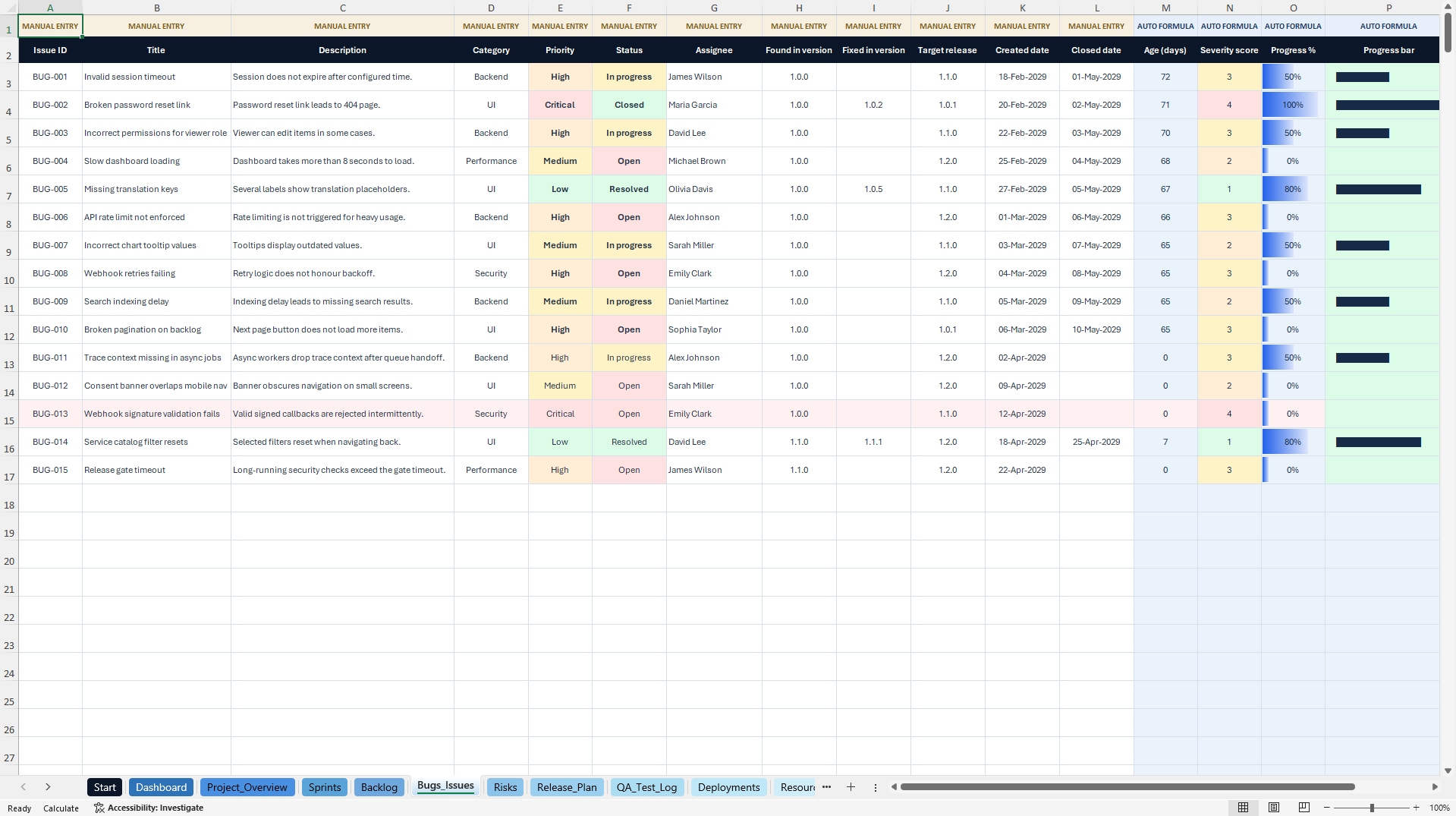
BUGS & ISSUES – Defect categories, priorities, owners, dates, release links and resolution tracking.
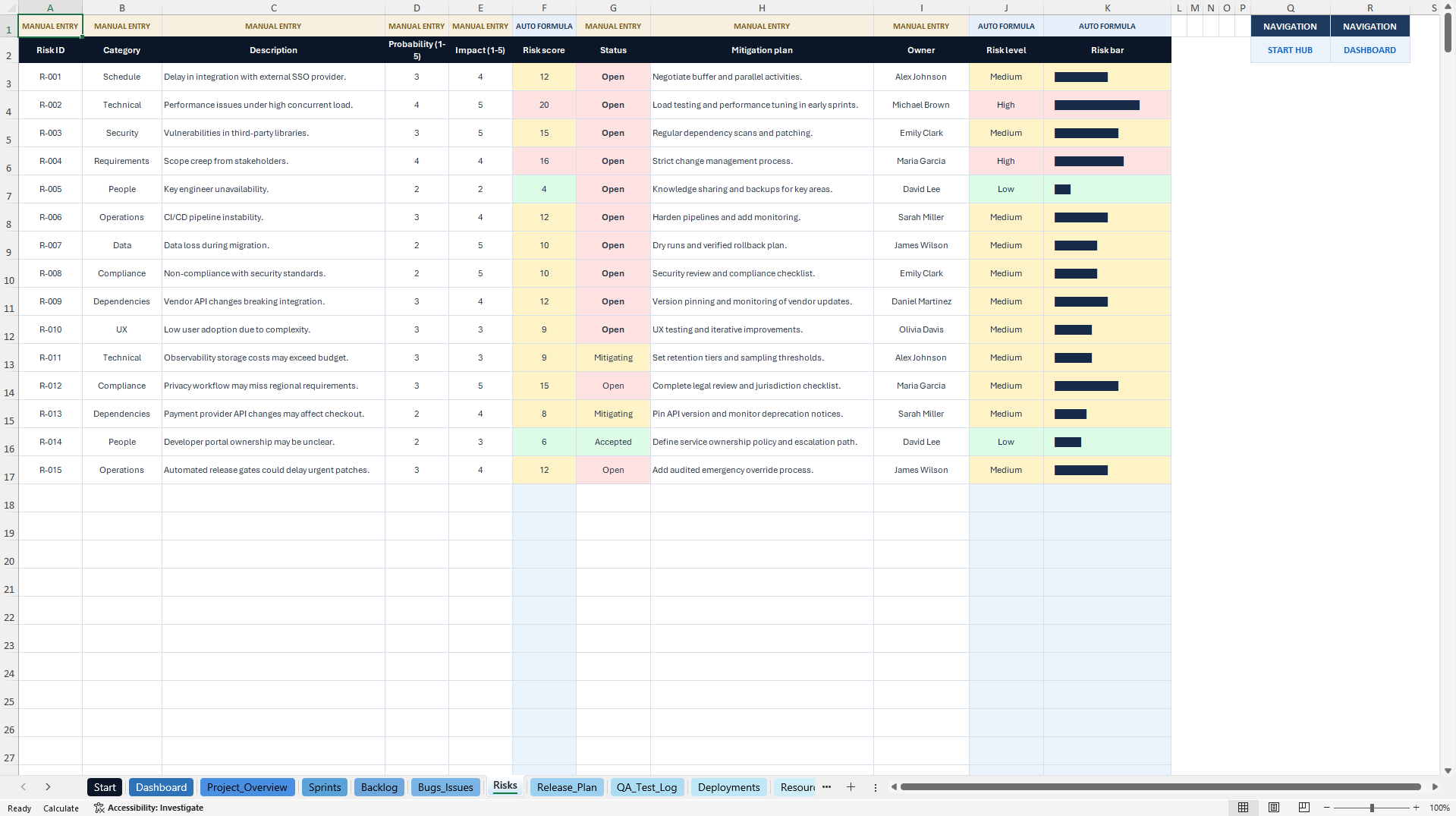
RISKS – Risk categories, probability, impact, calculated score, mitigation and ownership.
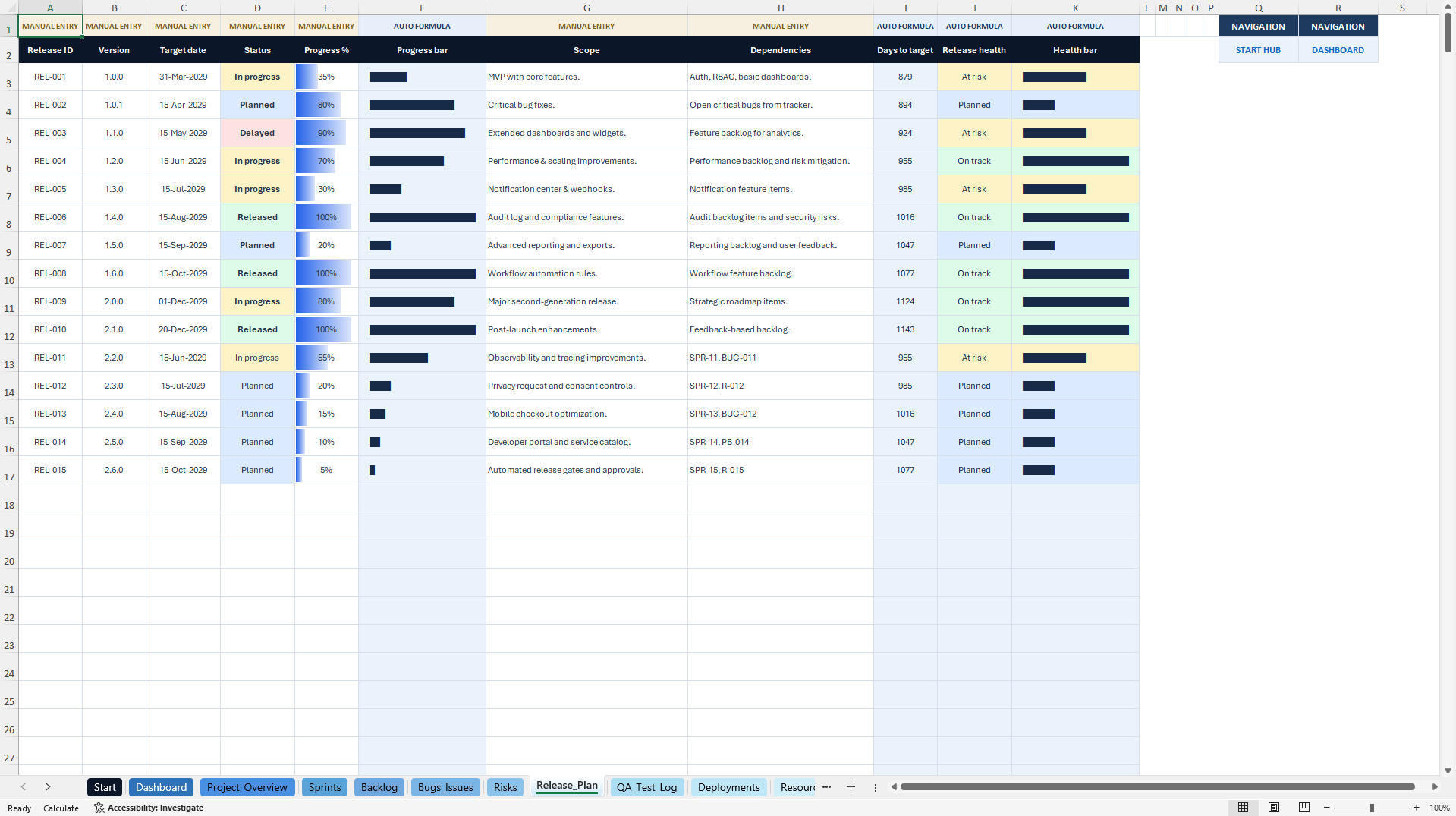
RELEASE PLAN – Target versions, dates, dependencies, progress and release health.
QA TEST LOG – Test cases, expected and actual results, status, defects and responsibility.
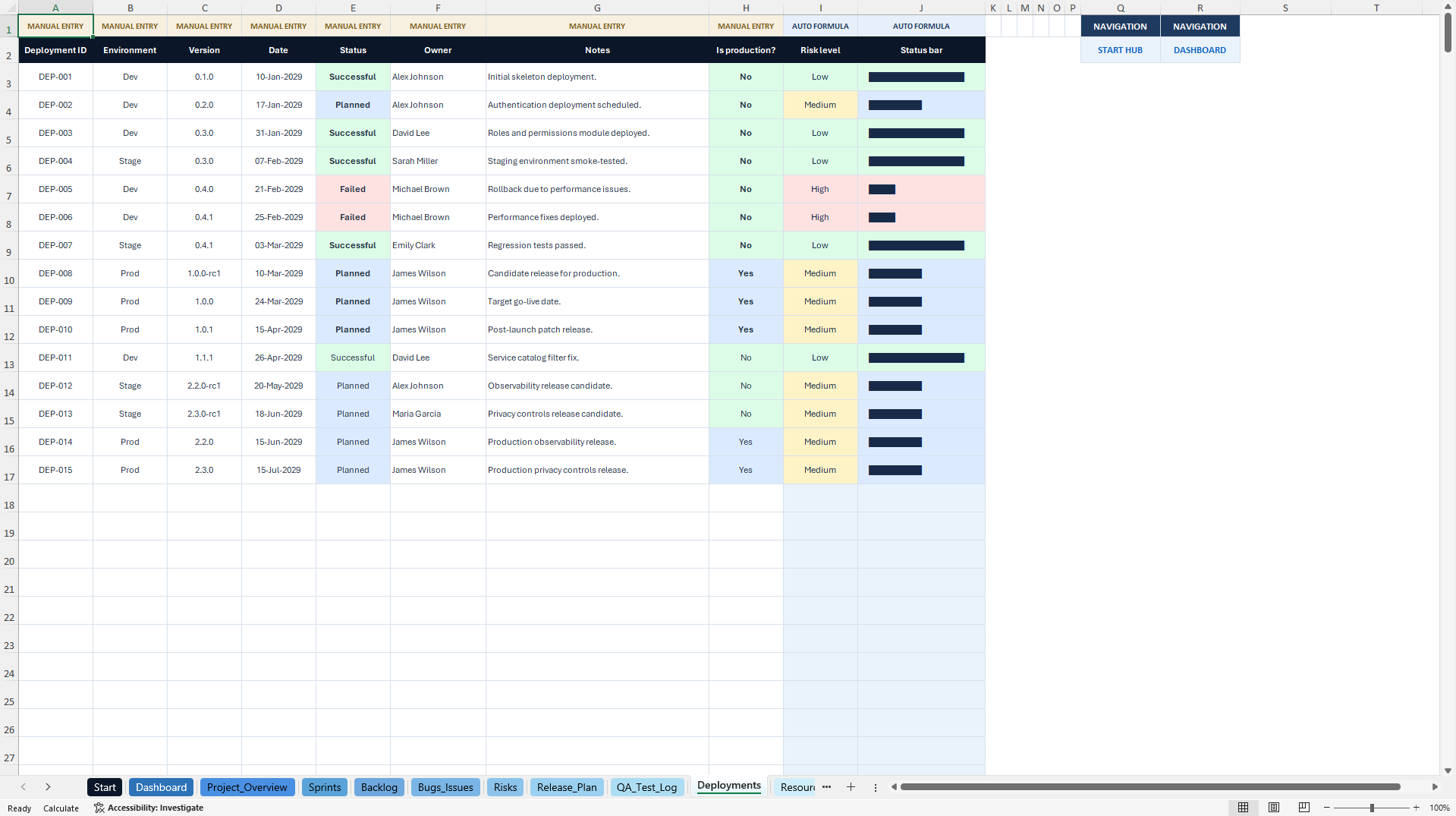
DEPLOYMENTS – Release environment, deployment status, production flags and risk signals.
RESOURCES – Roles, capacity, assigned work, utilization and availability labels.
DASHBOARD DATA – Chart source calculations and supporting summaries.
The primary tracker includes 15 illustrative entries in the major working areas and additional prepared rows through row 501. Calculations and dashboard formulas reference these working ranges.
🎁 BONUS – SPRINT PLANNER LITE
A separate four-sheet Excel companion with Start, Sprints, Backlog and Dashboard.
It includes 15 illustrative sprints and 15 backlog examples, prepared entries through row 501, eight KPI calculations and two native charts for backlog and sprint progress.
The bonus runs independently and does not synchronize automatically with the main tracker.
📘 12-PAGE ENGLISH HOW-TO GUIDE
The included PDF covers initial setup, navigation, software delivery workflow, input-versus-formula columns, sprint and backlog updates, dashboard reading, risk and quality follow-up, using the bonus, troubleshooting, compatibility and usage terms.
🎯 IDEAL FOR
Software Development Teams, Engineering Managers, IT Project Managers, Scrum Practitioners, QA Leaders, DevOps and Release Coordinators, Consultants, Startups and Technology Organizations.
📦 COMPLETE DIGITAL PACKAGE
• One main Software Project Tracker workbook (.xlsx)
• One separate Sprint Planner Lite workbook (.xlsx)
• One 12-page English PDF guide
💻 TECHNICAL INFORMATION
Excel .xlsx, macro-free and without required external data connections. Microsoft Excel Desktop is recommended.
The trackers do not have live integrations with Jira, GitHub, Azure DevOps, GitLab, cloud infrastructure or other applications.
Google Sheets may import worksheet contents, but charts, formatting, dropdowns and some formulas may behave differently. Complete compatibility has not been established.
⚖️ IMPORTANT NOTICE
These are independent, unofficial organizational templates. They do not constitute professional software quality certification, compliance, project management or security advice and do not guarantee delivery outcomes.
All example data and project results are illustrative. Users are responsible for checking their own formulas, assumptions, statuses, resources and workflow decisions.
Redistribution or resale of template files is prohibited.
SheetworksStudio – Independent Premium Excel Management Templates.
Got a question about the product? Email us at support@flevy.com or ask the author directly by using the "Ask the Author a Question" form. If you cannot view the preview above this document description, go here to view the large preview instead.
Source: Best Practices in Agile, Software Excel: Software Project Tracker | Sprint, QA & Release Dashboard Excel (XLSX) Spreadsheet, SheetworksStudio
ABOUT THE AUTHOR

SheetworksStudio creates premium Excel-based business templates, dashboards, trackers, financial models, and management systems for professionals, consultants, entrepreneurs, and organizations.
Our portfolio covers finance, project management, operations, risk management, compliance, AI governance, HR, supply chain, performance management, and business planning. Each product is designed to
... [read more]
Ask the Author a Question
You must be logged in to contact the author.